

Too many Shopify stores lose time and money managing orders manually. Important orders get missed, teams work slower, and mistakes become common. Smart Order Tagging for Shopify fixes this by automatically organizing every order the moment it is placed.
As order volumes grow, manual processes fail to keep up. Identifying high-value orders, separating cash on delivery payments, prioritizing repeat customers, or flagging international shipments becomes increasingly complex. Without automation, order management turns into a bottleneck that affects fulfillment speed, customer satisfaction, and operational efficiency.
ON THIS PAGE
Understanding Order Tagging in Shopify
Order tagging is the process of adding the label or tag (flag) to your Shopify orders based on the specific criteria and conditions, such as order total value, method of payment, type of shipping, and customer behavior.
The tags act as an immediate identifier using the flags set that helps your team to organize and manage the order easily and efficiently.
One small example:
- Orders above $5,000 can be tagged as medium value.
- First-time orders by customers can be tagged as New Customer.
- Orders placed using COD can be tagged as Cash On Delivery.
One cannot do all these kinds of tagging processes manually, which takes a long time and can misalign the data, and that’s why Shopify Flow comes in.
Why Manual Order Management Fails at Scale
Manual order tagging works only when order volume is low. As the business grows, it creates several challenges:
- Repetitive tasks consume valuable time
- Inconsistent tagging across different team members
- Higher chances of missed or incorrect tags
- Slower order processing and fulfillment
- Poor visibility into priority or risk orders
These challenges make it difficult for teams to operate efficiently and respond quickly to customer needs.
What Is Shopify Flow?
Shopify Flow is an application that helps automate the entire tagging process. It allows you to create simple conditions like “IF → Then → Do” workflows that automatically process the condition based on criteria match.
One of its most important and useful features is Smart Order Tagging. Automatically applies tags to orders based on the criteria and customer behavior.
It is designed to automate repetitive operations like tagging orders, managing inventory, notifying teams, sending alerts, and handling product and customer-related conditions.
Why Use Smart Order Tags?
Smart Order Tagging helps merchants manage orders more efficiently and scale operations without increasing manual workload.
Key Benefits
- Saves time by eliminating manual tagging
- Improves accuracy and consistency
- Speeds up order fulfillment
- Enables advanced automation workflows
- Improves reporting and operational visibility
With smart tagging, your order management process becomes structured and predictable.
How to Add Smart Order Tags in Shopify Flow
Here’s a step-by-step walkthrough to create your own smart order tagging workflow.
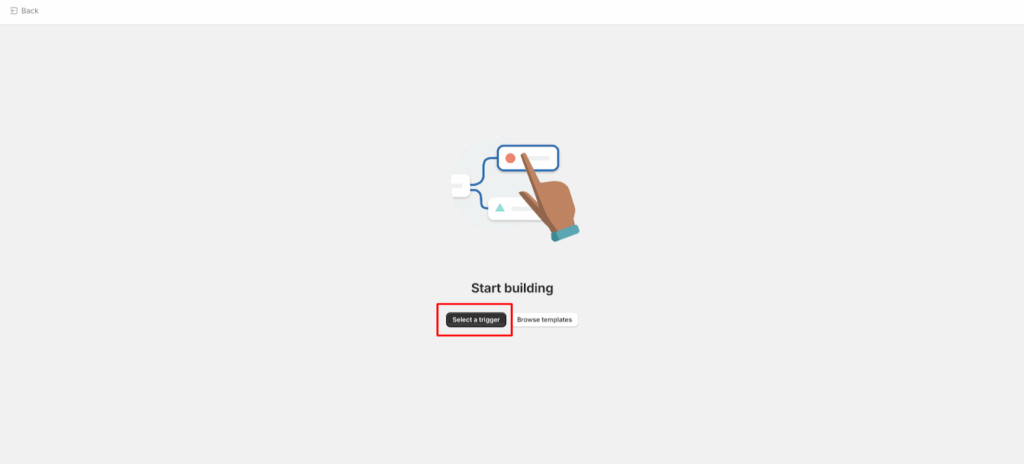
Step 1: Open Shopify Flow
- Go to your Shopify Admin
- Got to Apps → Shopify Flow
- Click the Create workflow button

Step 2: Choose a Trigger
- Triggers define when the workflow starts.
- Common options:
- Order Created – tag as soon as the order is placed
- Order Paid – tag only after payment confirmation
- Order Fulfilled – tag when shipping is complete

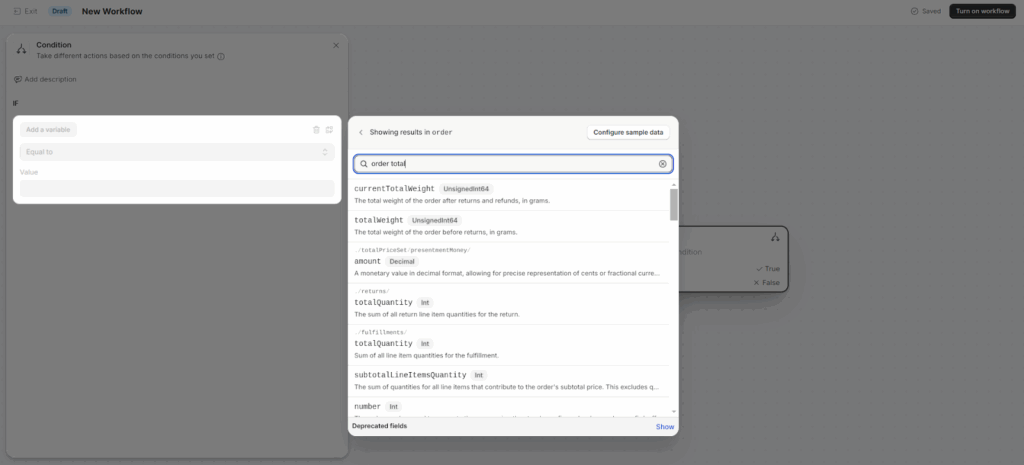
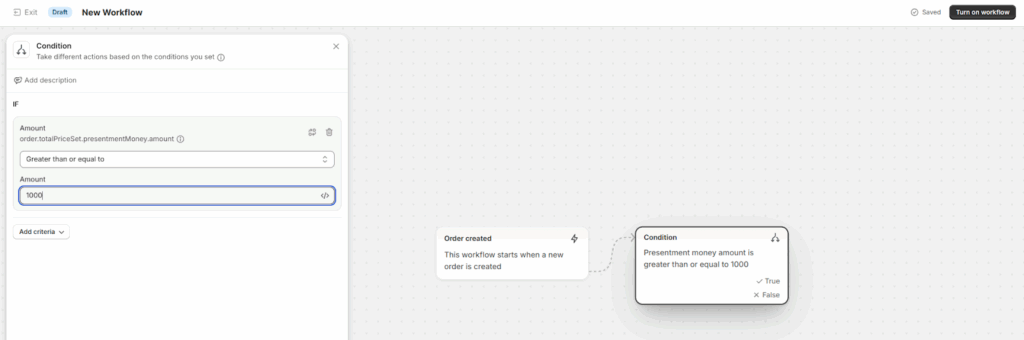
Step 3: Add a Condition
- Conditions determine when the rule applies.
- Examples:
- Order total > ₹10,000 → tag “High Value”
- Shipping country ≠ India → tag “International”
- Payment method = COD → tag “Cash on Delivery”
- Customer tag = “Wholesale” → tag “B2B Order”
- To set this up:
- Click Add condition
- Choose your field (e.g., total price, shipping country, etc.)
- Define the condition
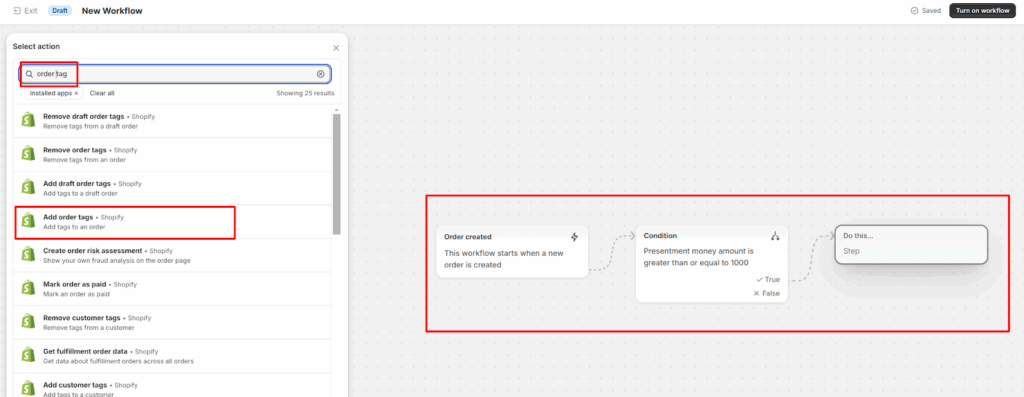
Step 4: Add an Action
- Now decide what happens when the condition is met.
- Choose the action: Add order tag → Enter your tag name.
- Examples:
- “High Value”
- “Repeat Customer”
- “COD Order”
- “VIP Customer”

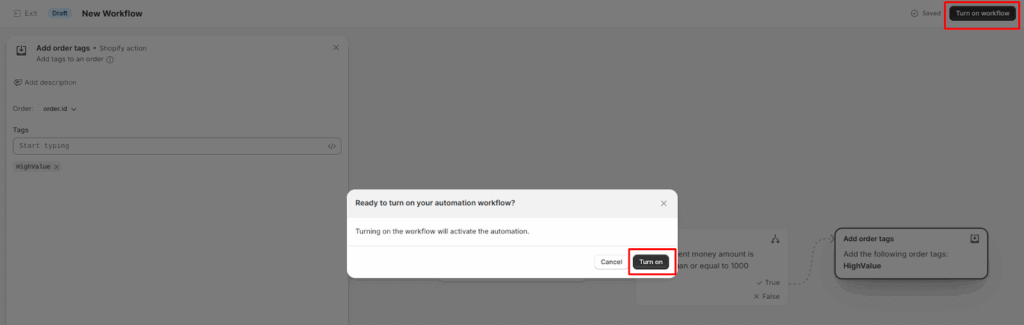
Step 5: Test and Activate
- Run a test order to confirm the tag applies correctly.
- Click Turn on workflow to activate your automation.
Example of Smart Tagging Scenarios

Business Impact of Smart Order Tagging
- Save Time: Eliminate Manual Tagging Tasks
- Accuracy: Reduce tagging errors
- Efficiency: Improve warehouse and shipping coordination
- Data Insights: Enable tag-based reporting
- Advanced Automations: Trigger future workflows automatically
Final Conclusion
Automating order tagging using the Shopify flow is simple but a game-changing way to streamline the store operation, even if you handle the high-value orders, managing fulfillments etc.,
Start with basic rules like tagging COD, High-Value, and expand over time to use the prebuilt templates. Each tag you add becomes a trigger for smarter, faster, and reliable workflows.
If you need help implementing these automations, contact a Shopify Development Partner like Klizer to streamline your store operations efficiently.