
If your Adobe Commerce store has a large product catalog or serves customers across multiple regions, slow page loads and delayed product searches can cost sales. Studies show that every 1 second of page latency can reduce conversions by 7% and 63% of shoppers bounce if an ecommerce website takes more than 4 seconds to load.
For merchants with tens or hundreds of thousands of products, maintaining fast catalog responses is critical. Enter Adobe Commerce Catalog Service — a cloud-native, SaaS solution that ensures your storefront is fast, scalable, and reliable, while keeping product data current in near real-time.
ON THIS PAGE
Understanding Adobe Commerce Catalog Service
The Adobe Commerce Catalog Service is a cloud-native service that acts as an additional API layer for catalog data. It’s designed to:
- Handle large product assortments
- Support multi-region and multi-language catalogs
- Serve high traffic with fast response times
As a SaaS service, Adobe manages infrastructure, updates, and scaling, letting merchants focus on storefront optimization instead of backend performance.
Key Features of Adobe Commerce Catalog Service
The Adobe Commerce Catalog Service provides,
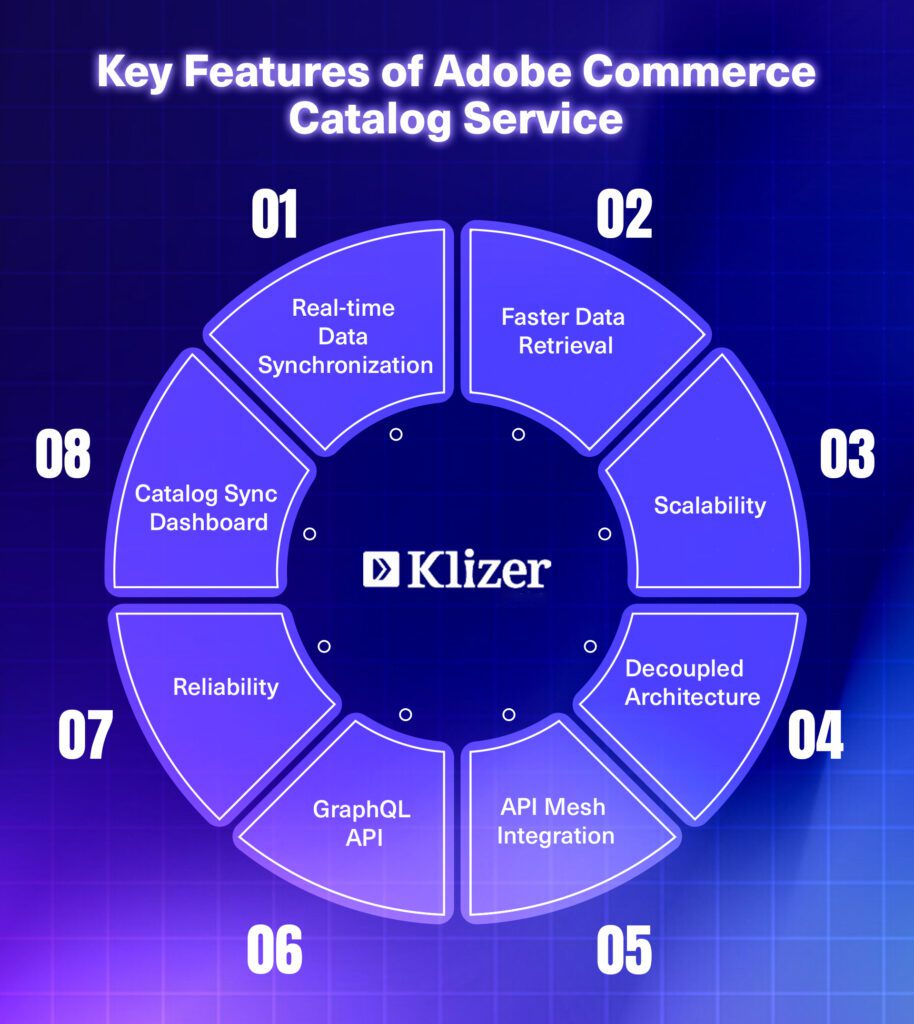
- Faster Data Retrieval: Significantly improves the speed of fetching catalog information (up to 10x faster in internal tests), leading to quicker page load times.
- Scalability: Being a cloud-based service, it can handle large catalogs and high traffic volumes efficiently.
- Reliability: Adobe manages the service, ensuring high availability and that it’s always up-to-date.
- Decoupled Architecture: Separates catalog data from the Magento database to serve it faster, particularly beneficial in headless and PWA implementations.
- Real-time Data Synchronization: Keeps product data on the Commerce Services platform current with ongoing synchronization from the Adobe Commerce instance.
- Catalog Sync Dashboard: Provides a user interface to view sync status, the number of products synced, search synced products, view product details in JSON, and reinitiate the sync process.
- GraphQL API: Provides specialized queries for retrieving product and category data optimized for storefront rendering.
- API Mesh Integration: Enables combining Adobe Commerce GraphQL systems with other internal and third-party APIs
Read Next – Adobe Commerce Certification: A Step-by-Step Guide
How It Fits in Your Commerce Architecture
- Adobe Commerce Backend: Authoritative source of product, category, and pricing data.
- Catalog Sync: Synchronizes data to Catalog Service in near real-time.
- Catalog Service: Indexes and stores catalog data for fast retrieval.
- GraphQL API: Provides a specialized, services-only schema for storefront queries.
Benefits of Adobe Commerce Catalog Service
Read Next – Adobe Commerce Security Update (APSB25-94): What Merchants Need To Know
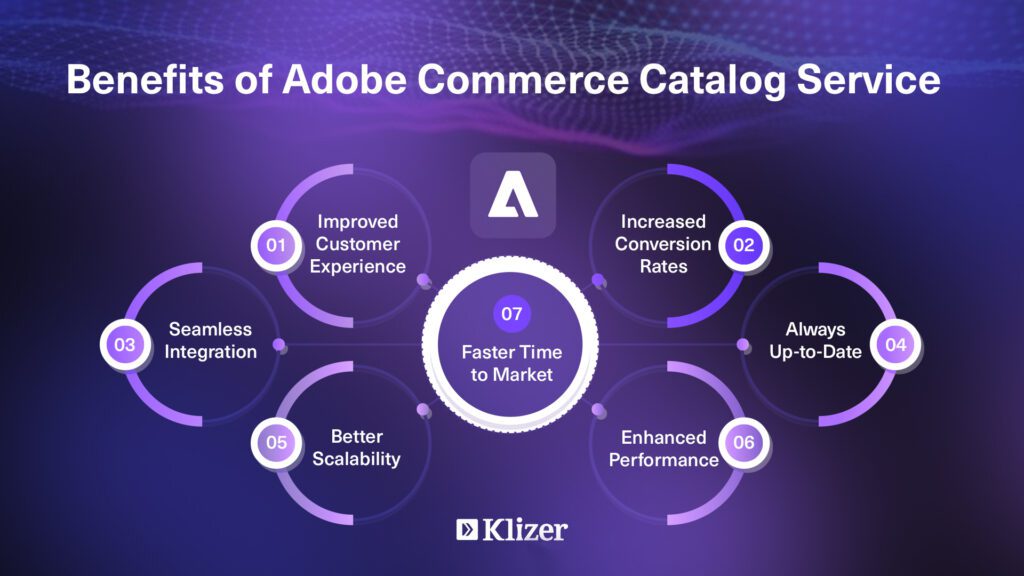
- Improved Customer Experience: Faster loading times and more reliable data lead to a smoother and more engaging shopping experience.
- Increased Conversion Rates: A better user experience can result in higher conversion rates and sales.
- Enhanced Performance: Offloads catalog data retrieval from the core Adobe Commerce application, reducing the load on servers and improving overall site performance.
- Better Scalability: Easily handles growth in catalog size and traffic without impacting performance.
- Always Up-to-Date: As a SaaS service, it receives automatic updates and new features without requiring manual upgrades.
- Seamless Integration: Works smoothly with the existing Adobe Commerce setup and other related services.
- Faster Time to Market: Improved performance and streamlined data retrieval can contribute to faster deployment of new features and updates on the storefront.
How to Install Adobe Commerce Catalog Service
Here are the steps to install the Catalog Service for a Commerce Cloud instance,
magento-cloud environment:checkout <environment-id>
composer require magento/catalog-service --no-update
composer update  "magento/catalog-service"
git add -A
git commit -m "Add catalog service module"
git push origin <branch-name>
Here are the steps to install the Catalog Service for an on-premises instance,
composer require magento/catalog-service --no-update
composer update  "magento/catalog-service"
bin/magento setup:upgrade
bin/magento cache:clean
After installing the module, you need to set up the Commerce Services Connector by specifying the Sandbox and Production API keys and selecting a SaaS Data Space on the Adobe admin panel (Path: System > Commerce Services Connector).
Then, you can see the Data Management Dashboard on the admin panel (Path: System > Data Management Dashboard), where you can see all the catalog syncing status.
If you have already installed Adobe Live Search, you do not need to install the Catalog Service separately. Because Catalog Service packages are usually installed in combination with a Live Search.
If you face any sync issue, you can run the below sync command on the terminal,
bin/magento saas:resync --feed productattributes --cleanup-feed
bin/magento saas:resync --feed products --cleanup-feed
bin/magento saas:resync --feed scopesCustomerGroup --cleanup-feed
bin/magento saas:resync --feed scopesWebsite --cleanup-feed
bin/magento saas:resync --feed prices --cleanup-feed
bin/magento saas:resync --feed productOverrides --cleanup-feed
bin/magento saas:resync --feed variants --cleanup-feed
bin/magento saas:resync --feed categories --cleanup-feed
bin/magento saas:resync --feed categoryPermissions --cleanup-feed
Also Read : Adobe Commerce Performance [Monitoring Tools & Techniques]
GraphQL Query:
Catalog Service provides two endpoints,
- Sandbox: https://catalog-service-sandbox.adobe.io/graphql
- Production: https://catalog-service.adobe.io/graphql
You can use the above endpoint with the POST method to fetch Catalog Service data. Here is the example query to fetch the product information by SKU from the Catalog Service,
curl --request POST \
  --url https://catalog-service-sandbox.adobe.io/graphql \
  --header 'Content-Type: application/json' \
  --header 'Magento-Customer-Group: xxxxxx' \
  --header 'Magento-Environment-Id: xxxxxx' \
  --header 'Magento-Store-Code: main_website_store' \
  --header 'Magento-Store-View-Code: default' \
  --header 'Magento-Website-Code: base' \
  --header 'x-api-key: xxxxxx' \
  --data '{"query":"query {\n\n    products(skus: [\"123\"]) {\n        __typename\n        id\n        sku\n        name\n        description\n        shortDescription\n        addToCartAllowed\n        url\n    }\n}\n"}'
Catalog Service provides the following queries:
- categories
- products
- refineProduct
- variants
Read Next : Edge Delivery Services With Adobe Commerce
Limitations of Adobe Catalog Service:
The Adobe Commerce Catalog Service offers strong performance and scalability benefits, but it also comes with some limitations and considerations.
- Licensing: Adobe Catalog Service is available for Adobe Commerce and Adobe Commerce Cloud. Not available for Adobe Open Source.
- Read-Only Access: It provides read-only access. You cannot create, update, or delete products directly through it.
- Sync Delay: Catalog data is not updated instantly, although near real-time, there can be a delay in data availability (usually seconds to minutes).
Installing Adobe Commerce Catalog Service to Optimize Storefront Performance
Installing Adobe Commerce Catalog Service helps make your online store faster and easier to manage. It improves how quickly product information loads and supports your store as it grows.
If you need help, our Adobe Commerce Expert team is here for you. You can also check out our Adobe Commerce solutions to find the right services for your business.