

ON THIS PAGE
What is XSS?
Cross-Site Scripting is a client-side attack in which the attacker tries to inject malicious JavaScript into content that is later rendered by other users’ browsers, potentially leading to data theft or session hacking. Magento 2 is vulnerable to these if inputs aren’t properly handled.
This blog helps to understand and prevent XSS (Cross-Site Scripting) vulnerabilities. In the world of ecommerce, it is important to secure websites by protecting customer data and sensitive data. Magento has several built-in XSS prevention mechanisms; developers must still adhere to secure coding standards to ensure comprehensive protection.
Types of XSS Attacks
- Reflected XSS – Injecting through URL or query parameters.
- Stored XSS – Malicious scripts stored in the database (updating the product names, descriptions, and product data
- DOM-based XSS – Inserting malicious data into the DOM.
Magento 2 (Adobe Commerce) XSS preventing methods:
The following built-in features of Magento 2 helps in preventing XSS attacks:
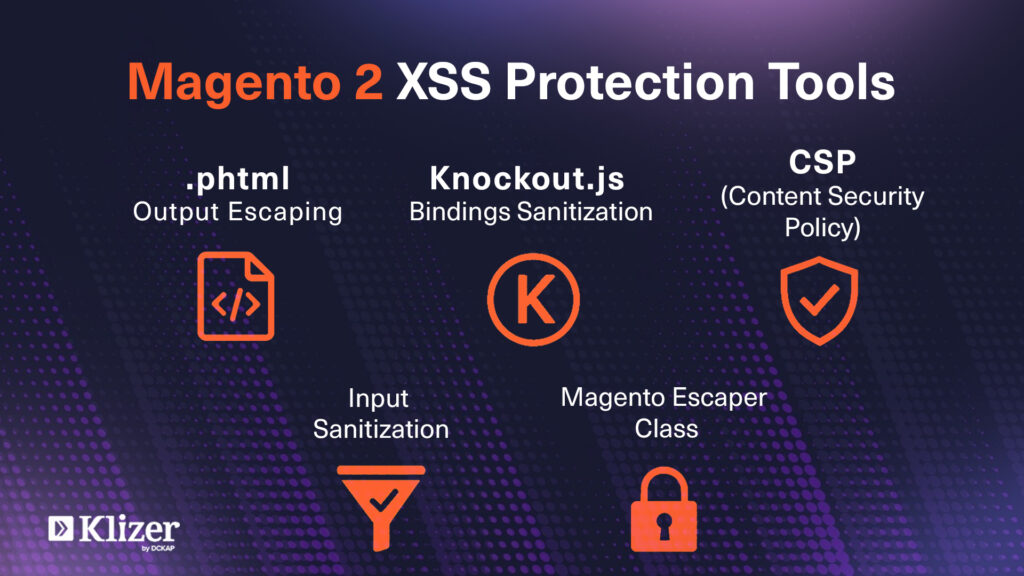
- Escaping output in .phtml templates
- Knockout.js bindings Sanitization
- Input sanitization for admin panel forms
- Content Security Policy (CSP) Enforcement
- Use of Magento\Framework\Escaper for additional escaping
Recommended Read: How To Secure Carding Attacks In Magento Website?
Developer Checklist: How to Prevent XSS in Magento 2
1. Escape Output in .phtml Templates
Always escape dynamic content in .phtml files:
// use escape HTML
<?= $block->escapeHtml($product->getName()) ?>
<?= $block->escapeHtmlAttr($product->getName()) ?>
// Escape HTML with attributes (e.g., for name/img source)
Magento (Adobe Commerce) provides the following methods for escaping:
- escapeHtml(): Escapes HTML tags.
- escapeHtmlAttr(): Escapes for HTML attributes.
- escapeJs(): Escapes for JavaScript contexts.
- escapeUrl(): Escapes for URL contexts.
It is necessary to use appropriate escaping methods based on the context for html exploitation.
2. Sanitizing the Request Parameters
Sanitization means removing any kind of harmful input before using or saving to the database.
Magento does not sanitize automatically, so we need to do this manually:
Sanitize the inputs, particularly when accepting data from:
- Forms (custom customer form, contact forms, etc.)
- Admin custom fields
- API endpoints
use Magento\Framework\Filter\StripTags;
$rawInput = $this->getRequest()->getParam('id');
$sanitized = $this->stripTags->filter($rawInput);
For numeric values:
$id = $this->getRequest()->getParam('id');
if (!ctype_digit($id)) {
    throw new \Magento\Framework\Exception\LocalizedException(__('Invalid ID'));
}
3. Avoid Directly Echoing $_GET or $_POST Method Parameters
Do not directly use the output of GET and POST methods as inputs
Do not Use:
echo $GET[‘product_id’];
Use:
echo $escaper->escapeHtml($_GET[‘product_id’]);
4. Secure JavaScript Rendering
When sending data from PHP to JavaScript, always escape it properly.
<script>
	var productName = "<?= $block->escapeJs($productrName) ?>";
</script>
Also, never use raw user input in JS blocks.
5. Configure Content Security Policy (CSP)
CSP helps to prevent the inline scripts or unauthorized external scripts from being executed.
Enable the CSP module:
bin/magento module:enable Magento_Csp
If needed, add csp_whitelist.xml for safe exceptions.
6. Magento Admin Fields
For customizing custom admin forms, validate and filter inputs using:
- Use \Magento\Framework\Data\Form\Element\AbstractElement::setValue()
- Use Input filters like \Zend_Filter_StripTags
7. Use the Magento default Escaper Class in PHP
use Magento\Framework\Escaper;
public function __construct(
	\Magento\Framework\Escaper $escaper
) {
	$this->escaper = $escaper;
}

// Usage:
$this->escaper->escapeHtml($string);
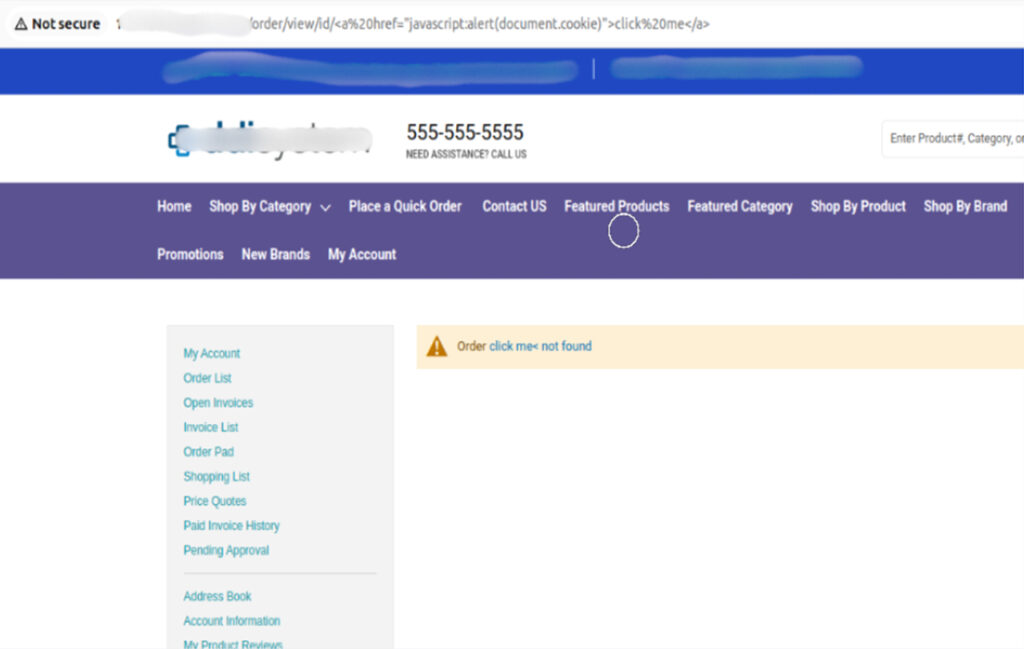
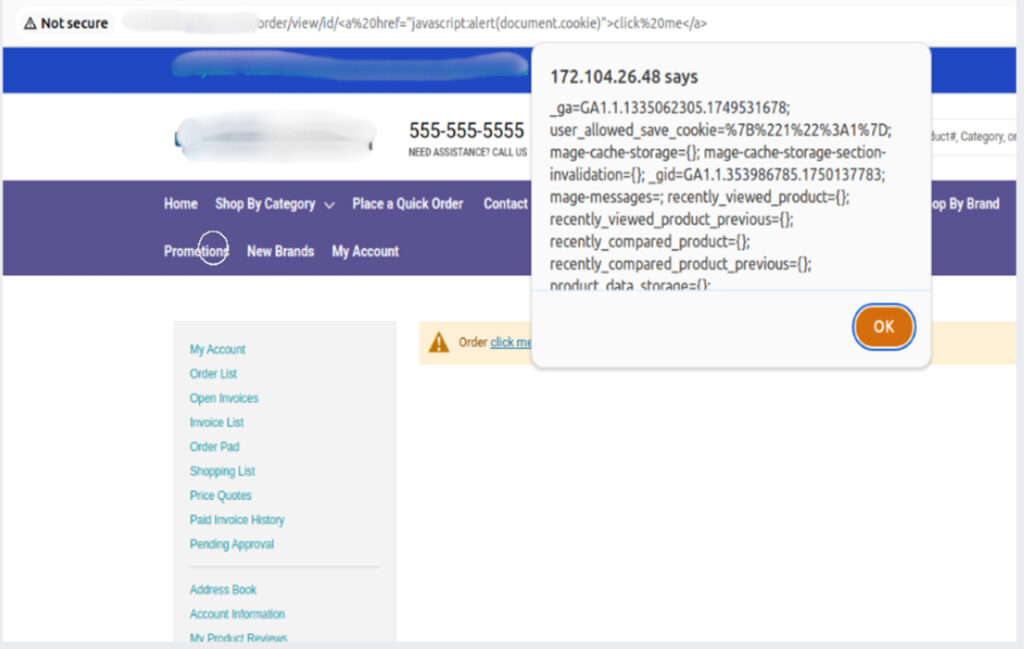
The screenshots below show how the improper escaping and sanitization of URL parameters can lead to XSS vulnerabilities, and how it looks before and after the security fix.
Before Sanitizing URL Parameters:
Issue: Malicious scripts injected via URL parameters get executed.
Example Scenario: URL with embedded JavaScript payload:
/order/view/id/<a href=”javascript:alert(document.cookie)”>click me</a>
Impact: The browser interprets and executes the script, displaying sensitive cookies or other malicious content.
After Sanitizing URL Parameters: The application sanitizes user input and encodes the output.

- JavaScript tags and payloads are escaped, displayed as plain text.
- No execution of any malicious scripts.
- It simply shows the message Order “<escaped payload>” not found
Recommended Read: Ecommerce Security: Security Measures + Threats & Issues
Conclusion:
XSS attacks pose a serious threat to every ecommerce website. By following these guidelines, we can minimize the risk of XSS vulnerabilities in Magento 2 stores and ensure a safe shopping experience for the customers.If you need any help to secure your store, reach out to a trusted Adobe development partner like Klizer. You can also explore our eCommerce solutions to improve your store’s performance, security and customer experience.