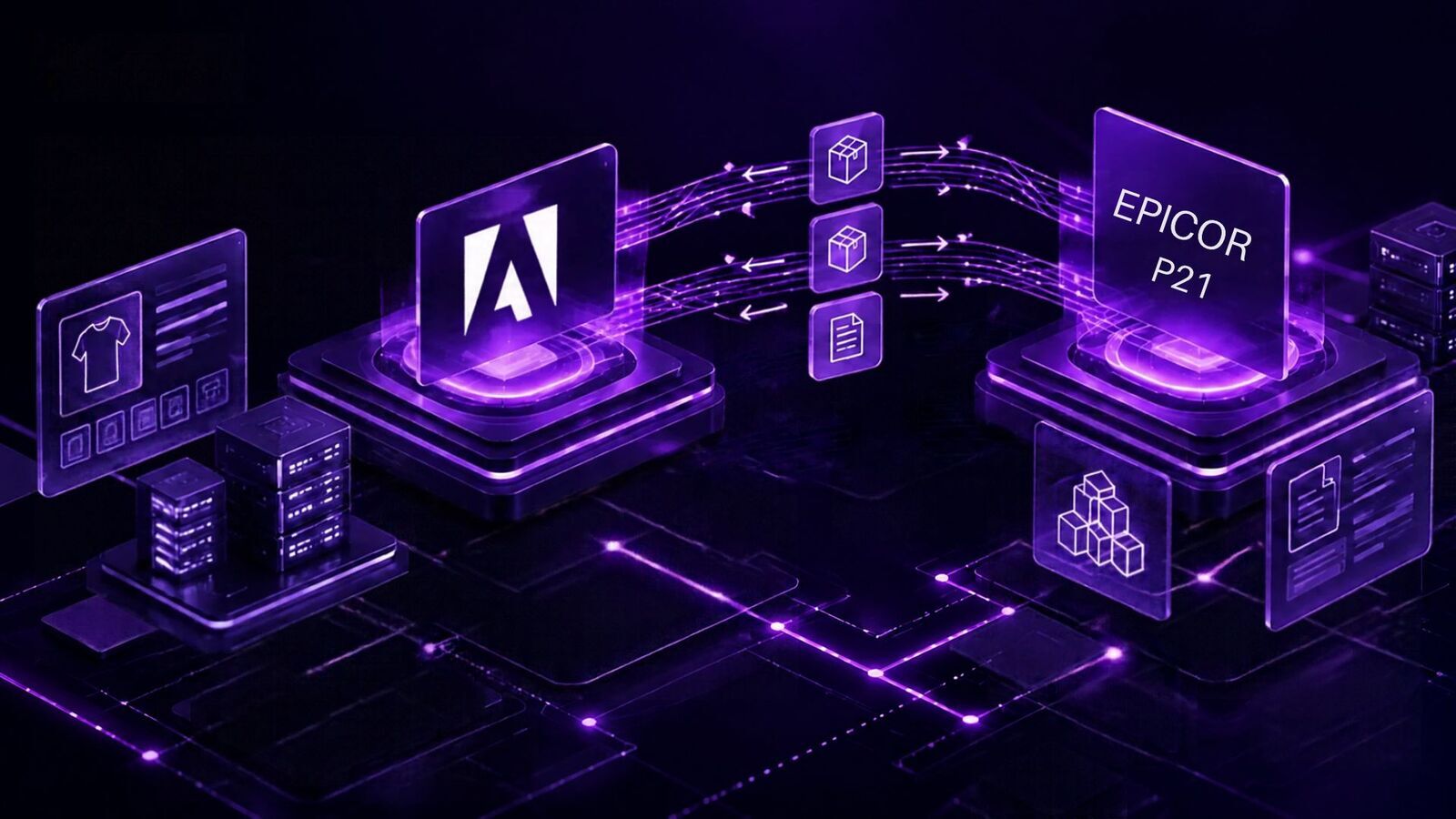

Connecting an ERP system with an ecommerce platform involves more than exchanging data through APIs. Product information, inventory, customer accounts, orders, and order statuses must stay consistent across both systems.
For businesses using Adobe Commerce and Epicor Prophet 21 (P21), synchronization can become challenging when APIs fail, duplicate events occur, or scheduled jobs process large volumes of records.
Adobe App Builder provides a serverless foundation for building integration logic outside the Adobe Commerce application. However, a reliable integration also needs clear data ownership, duplicate request protection, controlled retries, data reconciliation, and effective monitoring.
ON THIS PAGE
7 Best Practices for Reliable Adobe Commerce ERP Integration
1. Define Clear Data Ownership
Before setting up synchronization, decide which system manages each type of business data. Without clear ownership, updates from one system can overwrite newer information in another or create unnecessary update loops.
A common distribution-oriented approach is:
- P21: Manages product information, inventory, and ERP-related order fulfilment data.
- Adobe Commerce: Handles shopper and business buyer accounts, along with order submissions.
- Integration layer: Maps data, validates requests, coordinates API calls, and records processing results.
Ownership can vary depending on the implementation. For example, Adobe Commerce may manage product descriptions and web merchandising attributes, while P21 remains the source of truth for item identifiers, cost, and available quantity.
When both systems manage different fields within the same entity, document ownership at the field level to prevent conflicts.
2. Choose the Right Synchronization Method
Not every data flow needs the same processing method. Event-driven processing is useful when business changes need to be communicated quickly. Scheduled processing works well for large datasets, regular updates, and recovery scans.
The following table shows a suggested approach for common Adobe Commerce and P21 data flows.
| Data flow | Direction | Suggested trigger |
| Products | P21 → Adobe Commerce | Scheduled batch |
| Inventory | P21 → Adobe Commerce | Scheduled batch |
| Customer creation and updates | Adobe Commerce → P21 | Event-driven |
| Customer updates | P21 → Adobe Commerce | Scheduled batch |
| New orders | Adobe Commerce → P21 | Event-driven |
| Order status | P21 → Adobe Commerce | Scheduled batch or event |
These are starting points, not fixed rules. If P21 can reliably publish relevant business events, event-driven processing may be suitable. If changes are available only through queries or last-updated timestamps, scheduled polling may be more practical.
3. Build a Reliable Synchronization Process
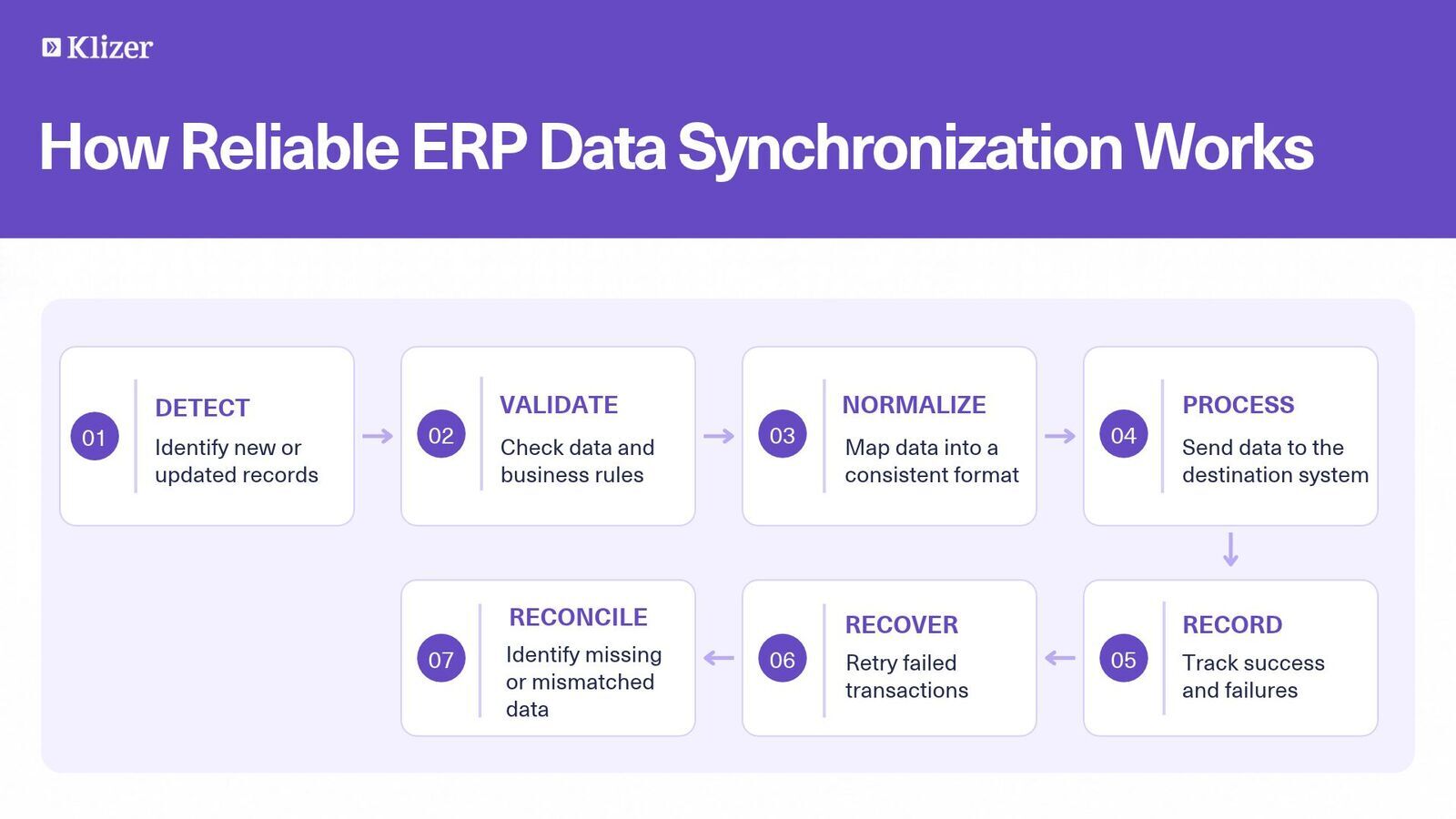
A reliable integration should track every data change from detection to successful delivery. A structured processing lifecycle helps teams identify failures and recover records without losing track of their status.
A typical synchronization process includes:
- Detect: Receive an event or identify changed records during a scheduled scan.
- Validate: Check required fields, identifiers, data types, and business rules.
- Normalize: Map source data into a consistent integration format.
- Process: Send data to the destination API with authentication, timeouts, and controlled request sizes.
- Record: Store processing results, including success or failure and relevant correlation identifiers.
- Recover: Retry eligible failures and identify records that need investigation.
- Reconcile: Compare source and destination data to find missed or inconsistent updates.
Keeping these stages separate makes the integration easier to test, maintain, and troubleshoot.
4. Prevent Duplicate Records with Idempotency
In distributed systems, a request may be delivered more than once. For example, a sender may time out after the destination has already processed a request. Since it does not receive a response, it may send the same request again.
Without duplicate protection, one business action could create multiple customer updates or duplicate sales orders.
Idempotency ensures that processing the same logical request multiple times produces the same business result as processing it once.
For order synchronization, use a stable source identifier, such as the Adobe Commerce order ID. Before creating an ERP order, check whether that order has already been accepted.
Store the relationship between the commerce order and the ERP order number. The check-and-create operation must also be protected against concurrent requests.
For product, inventory, and customer updates, use stable entity identifiers. Compare versions or source update timestamps when available instead of relying only on names, inconsistently formatted SKUs, or timestamps generated by the integration worker.
Illustrative Processing Pattern
The following JavaScript example demonstrates how to check whether an order has already been processed before creating it in P21.
async function processOrder(event) {
const sourceOrderId = event.orderId;
// Use a durable store with a unique key for this source order.
const existing = await findOrderMapping(sourceOrderId);
if (existing?.erpOrderId) {
return { status: “already_processed”, erpOrderId: existing.erpOrderId };
}
const order = await loadAndValidateCommerceOrder(sourceOrderId);
const result = await createOrderInP21(order);
await saveOrderMapping({
sourceOrderId,
erpOrderId: result.orderNumber,
status: “processed”
});
return { status: “processed”, erpOrderId: result.orderNumber };
}
This example illustrates the processing flow only. In production, the uniqueness check and reservation of the source order key must be atomic or protected by a database constraint or equivalent durable idempotency mechanism. Otherwise, two concurrent executions could both pass the initial check.
5. Handle Errors and Stale Updates
A reliable integration needs more than automatic retries. It must identify the type of error and determine the right recovery action.
Different failures require different responses.
| Failure type | Examples | Recommended response |
| Transient | Network timeout, temporary service unavailability, rate limit | Retry with exponential backoff and jitter. |
| Authentication / configuration | Expired credentials, incorrect endpoint | Alert the owner and retry after correction. |
| Validation / business rule | Missing customer number, invalid address, unmapped payment term | Correct the data before retrying. |
| Conflict / duplicate | Existing ERP order, stale entity version | Apply a defined conflict rule. |
| Unknown | Unexpected exception or unclassified response | Capture diagnostic details and move to review. |
For temporary failures, use bounded exponential backoff with jitter to prevent multiple workers from retrying at the same time. Set a maximum attempt count or retry window. Records that exceed these limits should move to a dead-letter or manual-review state.
Each retry should retain the original business identifier and correlation ID.
When Adobe I/O Events is used, its delivery model also needs attention. Adobe documents at-least-once delivery, possible duplicate events, and no guarantee of event ordering.
Its webhook retry behaviour applies to qualifying failures, such as HTTP 429 and most 5xx responses. The retry lifecycle can extend up to 24 hours. These platform-level retries do not replace application-level idempotency or business recovery processes.
Prevent Stale Data Updates
Another challenge occurs when multiple updates to the same record are processed out of order.
For example, inventory may change from 20 to 12 and then to 5. If the update containing 5 is processed first but a delayed request containing 12 arrives later, the destination system could display an outdated quantity.
To prevent this:
- Compare reliable source versions, sequence numbers, or last-modified values before applying updates.
- Reject or safely ignore older versions.
- If reliable version information is unavailable, consider serializing updates by entity key or reading the latest source data before applying critical values.
Do not assume event delivery order matches the actual order of business updates. Treat each event as a notification to check the latest valid state unless the integration contract explicitly guarantees ordered changes.
6. Monitor and Reconcile Data
Retries handle known failures, but they may not identify every missed update. Reconciliation helps find gaps that the processing pipeline may not have detected.
A scheduled reconciliation job can compare source and destination records using stable identifiers and a defined time window.
Important checks include:
- Products changed in P21 but not updated in Adobe Commerce.
- Inventory records where the source update timestamp is newer than the last successful destination update.
- Commerce orders without a corresponding P21 order mapping.
- P21 order status changes that have not appeared in Adobe Commerce.
- Customer records with mismatched identifiers or missing required account attributes.
Reconciliation should follow the data ownership rules defined earlier. It should record mismatches and either correct them automatically when safe or create a review item for the support team.
For timestamp-based scans, use overlapping time windows to reduce the risk of missing records around schedule boundaries. Processing should remain idempotent so records included in multiple scans can be handled safely.
Make Logs Useful for Operations
Logs should help teams understand what happened, where a failure occurred, and what action is required. A simple message such as “sync failed” is not enough for a production integration.
Capture the following information for each processing attempt:
- Entity type and source identifier.
- Direction and synchronization flow.
- Correlation ID, event ID, and runtime activation ID, where available.
- Attempt number, start time, duration, and final status.
- Destination response category and a sanitized error message.
- Next retry time or required manual action.
Avoid logging access tokens, passwords, payment details, or unnecessary personal information.
Use consistent status values such as Pending, Processing, Success, Retry Scheduled, Failed, and Needs Review. These can support dashboards that track processing volume, failure rates, pending records, retry volume, and the last successful run.
Adobe App Builder provides application logging capabilities. Teams can use the following CLI commands to inspect application logs and Runtime activations:
- aio app logs to retrieve application logs.
- aio rt:activation:list to inspect recent Runtime activations.
For long-term operational reporting, consider forwarding logs to an approved centralized observability platform.
7. Secure and Prepare the Integration for Production
The integration layer handles sensitive business data and privileged API access. Security and recovery planning should be part of the implementation from the beginning.
Consider the following practices:
- Protect credentials: Store credentials using the platform’s supported secret and configuration mechanisms.
- Separate environments: Use different credentials and workspaces for development, staging, and production.
- Limit permissions: Give each action only the access it requires.
- Validate requests: Check inbound event signatures where supported and verify that requests belong to the expected integration.
- Protect endpoints: Do not expose internal actions as public endpoints without appropriate access controls.
- Rotate credentials: Follow a planned credential rotation process.
- Protect logs: Ensure logs and error notifications do not expose credentials or sensitive information.
Production-Readiness Checklist
Before deploying the integration, check that the following requirements are covered:
- Clear data ownership and field mappings.
- Stable source identifiers and correlation IDs.
- Duplicate request protection.
- Controlled retries and error classification.
- Batch processing with pagination and checkpoints.
- Protection against stale updates.
- Scheduled data reconciliation.
- Structured logs, monitoring, and alerts.
- Secure credentials and environment-specific permissions.
- Tested recovery procedures.
Conclusion
Reliable integration between Adobe Commerce and Epicor P21 helps maintain accurate data, reduce manual work, and support smoother business operations. Following the right practices for data synchronization, error handling, monitoring, and security can make these integrations more dependable as business needs grow.
Explore Klizer’s Adobe Commerce Development Services to build and maintain Adobe Commerce solutions that connect with your business systems and support your B2B commerce requirements.