

Your Shopify store’s design can make a big difference in how well your business does. It is more than just changing a logo or updating pictures. The way your store looks and works is important to attract visitors, keep them interested, and help them buy from you. If your store looks old or hard to use, people might go to other stores that are easier and nicer to use. This guide will explain what you need to know about redesigning your Shopify store in 2025 to keep it fresh, fast, and easy to use so you can sell more.
ON THIS PAGE
Here’s the real stuff that matters:
Theme Selection
- Choose a business idea that is not blocking.
- Shopify has a tons of paid and free themes.
- Theme selection is superior for the store that should contain needful features for your business.
- Some themes that will make you spend for it, or you can go hire a developer and you can build your own theme from the scratch.
- It will create your store as you are expecting to look, if the pre-build themes are not suitable for your business.
Homepage, Branding & Visuals
- Homepage is heart of the website, where customer first lands on your store.
- Use colors, fonts, and images that match your brand and business.
- Keep it straight-forward and easy for people/customer to make ability for trust you.
Navigation & Layout
- Not all customers like to click more on navigation.
- Keep the menu simple but cover all main areas, where customers can travel through the store.
- The menu must understandable, products should be organized, search should filter seamlessly.
- Shopify provides more applications for navigation which can have the latest features and look-feel of menus (paid and free).
Product Presentation
- Product pages are the secondary heart of the store/site.
- Product listing and details page should be presented clean and smoothly for the customer’s visualization.
- Customers reach the product page to know about the product information and purchase it.
- Product photos and videos should be simple and soft so that customers can understand the product details.
- Payment information should be displayed on the product page, which can make customer easy to know about payment without reaching to checkout page.
- There are lot of information that can be displayed on product page like:
- Description
- Features
- Specifications
- Images/videos
- Tags
- Bought together/You may like
- Recently viewed products
- Compatibility/Size chart,
- Ratings/Reviews and etc..
- For all the above listed features, Shopify provides an application on the Shopify app store.
Checkout Experience
- Make/Keep it easy.
- Remove the distractions.
- Nowadays the customers are preferring to shop using mobile phone.
- So checkout should be simple, loadless, easy to purchase without more process.
- You can customize the checkout page to match your brand upto the limitation of checkout features.
- Checkout also has a lot of features where you can add as an application from the Shopify app store, but should be tested before moving checkout live to customers.
Conversion Optimization
- Trust badges, clear buttons that capture customer visibility “Buy me,” and maybe here or there on the homepage as featured products section.
- Landing pages should be loadless and simple with a nice look and feel.
- Do not forget that homepage banner where you can showcase your discounts, offers, campaigns and many-more.
Custom Features
- Want to stand out?
- Add goods such as product configurators, loyalty programs, and discounts to membership.
- There is an app for almost anything, or you can hire a developer to get custom features using code.
Recommended Read: Shopify Automatic Discounts
Now, here’s the thing:
- You never get a second chance to impress a customer the first time, do not blow it.
- People decide in two seconds whether your store is legal, easy and trusted to purchase.

Mobile matters.
- If your store is not mobile friendly, you can lose customers and business at some period.
- A clean, auxiliary form grows with your business, so you do not get stuck again in six months.
- Forms should be easily understandable and not with unwanted fields to collect customer information.
- Your brand needs to stand out. Cookie-cutter stores are ignored.
- Therefore, if your store looks appealing and creates the right attraction, you’ll draw the right people, earn their trust, encourage repeat visits, and ultimately increase sales.
Why is any of this important?

Because people are naturally eager.
You can spend on advertisements, but if your store looks as if it were designed in 2011, good luck.
Adobe says that if your site looks bad, then 38% people will just go out. And 75% are here looking at your entire company based on your design.
Also, performance matters.
Google says that if it takes more than 3 seconds to load your site, more than half of people will jump.
Just one-second gap? It can kill conversions by 7%. It is difficult there.
Why is Shopify redesigning Important in 2025?
Because things change rapidly, and your dusty old design is probably no longer cutting it.
Recommended Read: Shopify Customization: How To Customize Without Coding
Shopify Redesign Checklist for 2026
1. Set Clear Goals
- Do not just give a color change to make improvement.
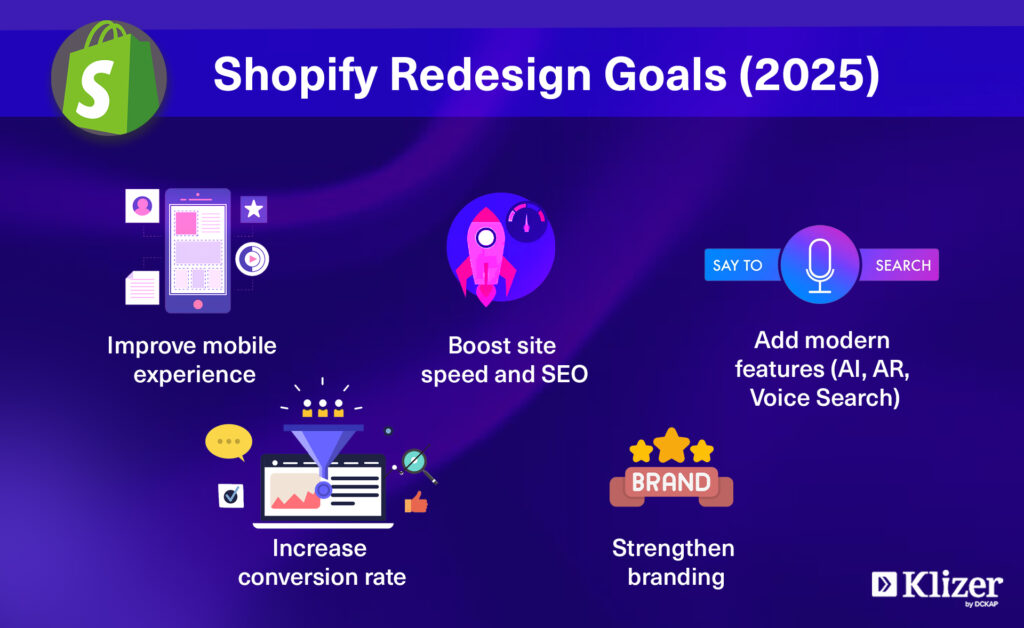
- Find out what you want: more sales, better mobile, application, features and whatever.
- In 2025, perhaps look at new items such as AI recommendations, AR TRAI-on, and Voice Search.
2. Audit Your Site
- Look at your numbers.
- Use Shopify Analytics, Google Analytics, Hotjar, whatever you have got.
- Check speed, mobile friendly site, and conversion rates.
- Ask your customers for feedback using feedback forms(they will tell you).
3. Mobile Optimization
- Your store has to be smooth with butter on the mobile and easily accessible.
- Responsible themes, soft images, simple checkouts.
- Add payments like Apple Pay, Google Pay, and sign-in features like “Sign with Google” and “login with OTP”.
- So that people do not have to remember their passwords.
4. Pick a Future-Proof Theme
- Do not box yourself in and choose a theme that can handle AI, AR, and whatever is the next big thing, before you exclude it.
5. Navigation and Design
- Keep the menu simple.
- Use the mega menu or advanced filter on the header of the site.
- Make sure your branding is consistent everywhere, including color, fonts, and all.
6. Speed & SEO
- Optimize your images, use apps to speed up things.
- For SEO: Clean URL, juicy meta details, and structured data.
- Hire an SEO developer to make it feasible for you with search ranking.
- Otherwise, Google will show that you do not exist.
7. Checkout
- Make it simple.
- More payment options, autofill, progress bar, order tracking, discounts/coupons anything to prevent people from burning on the finish line.
8. Test Before Launch
- Before launching, break down your site to its purpose.
- Click on each link, try every device. Ask real people to pierce it.
- Hire a Quality Analyst to do all kinds of testing.
9. Track & Adjust
- Keep an eye on bounce rates, time of session and conversions.
- If something is closed, fix it.
- And keep listening to your customers, they are the real QA department.
Also read- Ecommerce Replatforming: How To Successfully Replatform Your ECommerce Store
Conclusion
Don’t overlook your store’s design. To stay relevant and keep customers coming back, make sure it feels fresh, fast, and easy to use. That’s the real game. A fresh, fast, and user-friendly store attracts and retains customers, boosts trust, and drives sales.
If you need any help with a Shopify redesign, you can reach out to a Shopify development partner like Klizer.