

Launching a Shopify store is not just about building features. Every theme update, custom app integration, and code deployment can impact performance, security, SEO, and user experience. A structured code review process helps developers identify issues before they reach production, which reduces the risk of bugs, slow-loading pages, and conversion losses.
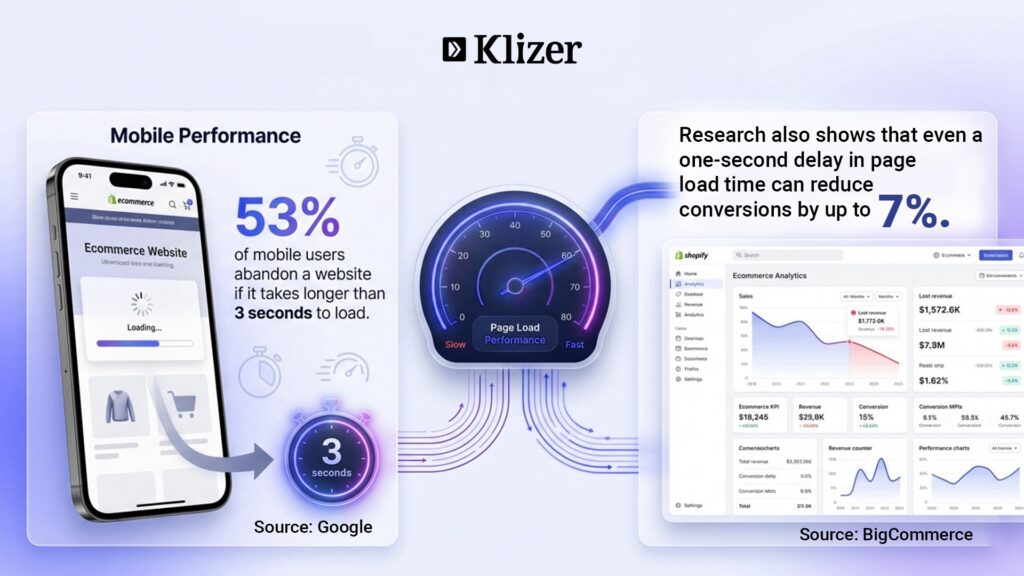
For Shopify merchants, code quality directly affects store performance, customer experience, and revenue.
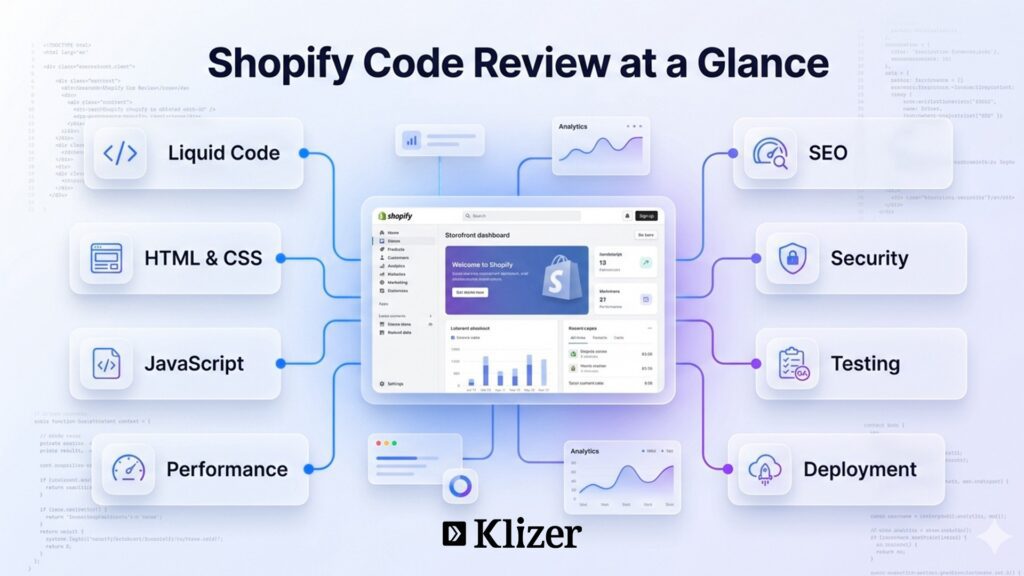
This Shopify code review checklist covers the key areas developers should review before pushing changes live, including Liquid templates, frontend code, performance optimization, security, SEO, and testing.
ON THIS PAGE
The Complete Shopify Code Review Checklist
1. Liquid Code Review
Structure and Maintainability
- Use proper indentation and maintain a readable code structure.
- Avoid deeply nested {% if %} and {% for %} blocks.
- Move reusable code into snippets.
- Use {% render %} instead of {% include %}.
- Remove unused or dead code.
- Use meaningful and descriptive variable names.
Performance
- Avoid excessive looping through large collections.
- Implement pagination for large collections.
- Limit the use of all_products as it can impact performance.
- Avoid repetitive filtering inside loops.
- Use assign to reduce repeated calculations.
Liquid Best Practices
- Prefer {% render %} over the deprecated {% include %} tag.
- Escape user-generated content using escape or escape_once.
- Use the default filter to prevent blank outputs.
Example:
{{ product.title | escape }}
2. HTML and Accessibility Review
Markup Standards
- Use semantic HTML5 elements such as <header>, <main>, <section>, and <article>.
- Maintain a proper heading hierarchy (H1–H6).
- Ensure there is only one H1 tag per page.
- Avoid inline styling whenever possible.
Accessibility Checklist
- Add descriptive alt text for all images.
- Use aria-label attributes where appropriate.
- Use actual <button> elements instead of clickable <div> elements.
- Properly label form fields.
Example:
<label for=”email”>Email</label>
<input id=”email” type=”email” />
3. CSS Review
Clean and Scalable CSS
- Avoid duplicate styling rules.
- Remove unused CSS.
- Follow a mobile-first development approach.
- Avoid excessive use of !important.
- Use CSS variables for colors, spacing, and typography.
Performance Optimization
- Minify CSS files.
- Remove unused frameworks and libraries.
- Avoid heavy animations that impact rendering performance.
4. JavaScript Review
Code Quality
- Minimize the use of global variables.
- Use event delegation where appropriate.
- Remove console.log() statements before production deployment.
- Debounce scroll and resize events.
- Load scripts using async or defer whenever possible.
Shopify-Specific JavaScript Checks
- Use Shopify Ajax APIs efficiently.
- Handle cart updates dynamically.
- Avoid render-blocking JavaScript.
Example:
document.addEventListener(‘DOMContentLoaded’, function () {
// Your code here});
5. Performance Optimization
Page Speed Checklist
- Lazy-load images using loading=”lazy”.
- Implement responsive images with srcset.
- Optimize images before uploading them.
- Minimize third-party apps and scripts.
- Run regular Lighthouse audits.
Shopify-Specific Optimization
- Reduce the number of installed apps.
- Remove unused templates and sections.
- Avoid heavy metafield queries.
6. SEO Review
Technical SEO
- Verify canonical URLs.
- Eliminate duplicate content.
- Optimize meta titles and meta descriptions.
- Implement structured data using JSON-LD.
On-Page SEO
- Use a unique H1 tag on every page.
- Build a logical internal linking structure.
- Maintain clean, descriptive URLs.
- Avoid unnecessary URL parameters.
7. Security Checks
- Escape all dynamic outputs.
- Validate and sanitize form inputs.
- Avoid exposing private metafields.
- Restrict admin-only functionality properly.
- Review third-party app permissions regularly.
8. Shopify App Review (For Custom Apps)
- Secure API credentials and access tokens.
- Validate incoming webhooks.
- Handle API rate limits gracefully.
- Implement proper error handling.
- Store access tokens securely.
9. Version Control and Deployment
- Use Git for version control.
- Maintain separate development, staging, and production environments.
- Document major code changes.
- Write meaningful commit messages.
- Create backups before publishing updates.
10. Testing and Quality Assurance
Functional Testing
- Verify Add-to-Cart functionality.
- Test the checkout process.
- Validate quantity rules.
- Check filtering and search functionality.
- Ensure mobile responsiveness.
Browser Testing
- Google Chrome
- Safari
- Mozilla Firefox
- Microsoft Edge
Device Testing
- Mobile
- Tablet
- Desktop
11. Advanced Developer Checks
- Avoid synchronous API calls.
- Use Shopify Sections and Blocks efficiently.
- Optimize Liquid loops and queries.
- Validate schema settings.
- Reduce unnecessary DOM manipulation.
Final Review Before Going Live
Before deploying any Shopify code update, ask the following questions:
- Is the code clean and readable?
- Is it optimized for performance?
- Is it secure?
- Is it accessible?
- Is it SEO-friendly?
- Is it free from app conflicts?
- Has it been tested across devices and browsers?
Conclusion
A well-defined Shopify code review process helps developers deliver faster, safer, and more scalable storefront experiences. By reviewing Liquid templates, frontend code, performance, security, SEO, and functionality before deployment, teams can prevent costly issues that affect user experience and conversions.
Looking to improve your Shopify store’s performance, security, or scalability? As an experienced Shopify development partner, Klizer offers end-to-end Shopify development solutions tailored to your business needs.
Get in touch with our team to get started.
FAQs
1. Why is a Shopify code review important?
A code review helps ensure that your Shopify store remains fast, secure, scalable, and maintainable. It can prevent costly bugs, improve page speed, enhance SEO performance, and reduce the risk of issues affecting conversions and customer satisfaction.
2. How often should Shopify code reviews be conducted?
Code reviews should be performed before every major deployment, theme update, app installation, or custom feature release. Regular reviews also help maintain code quality as your store evolves.
3. What should be included in a Shopify code review checklist?
A comprehensive Shopify code review should cover:
- Liquid code quality and performance
- HTML structure and accessibility
- CSS and JavaScript optimization
- SEO best practices
- Security checks
- App integrations
- Testing and quality assurance
- Deployment readiness
4. How can Liquid code impact Shopify store performance?
Inefficient Liquid code can increase page rendering time and slow down storefront performance. Excessive loops, large collection queries, repeated calculations, and overuse of objects such as all_products can negatively affect page speed.
5. What are common Shopify code review mistakes developers should avoid?
Some common mistakes include:
- Leaving unused code in production
- Using deprecated Liquid tags such as {% include %}
- Not optimizing images
- Ignoring accessibility standards
- Installing too many third-party apps
- Exposing sensitive data or metafields
- Skipping cross-browser and mobile testing
6. How does a Shopify code review improve SEO?
A proper code review ensures optimized meta tags, structured data implementation, clean URL structures, correct heading hierarchy, internal linking, and improved page speed—all of which contribute to better search engine visibility.
7. What tools can help with Shopify code reviews?
Popular tools include:
- Shopify Theme Check
- Google Lighthouse
- Chrome DevTools
- Shopify Theme Inspector
- Google PageSpeed Insights
- GitHub Pull Requests and Code Review Tools
8. Should custom Shopify apps also undergo code reviews?
Yes. Custom Shopify apps should be reviewed for API security, webhook validation, error handling, token management, performance, and compliance with Shopify’s development best practices.
9. Can a Shopify code review improve conversion rates?
Yes. A well-reviewed Shopify store typically delivers faster page loads, fewer errors, better accessibility, and a smoother shopping experience, all of which can contribute to higher engagement and conversion rates.