

A cron job is an automated scheduled task — like reindexing, sending newsletters, or clearing logs. Instead of running these tasks manually, cron jobs ensure Magento executes them at the right time.
By default, Magento registers many cron jobs in the system. But managing them effectively requires cron groups.
In this guide, we’ll walk through what a cron is, what a cron group is, and how cron groups actually work in Magento 2.
ON THIS PAGE
What is a Cron Group?
A cron group is a logical collection of cron jobs. Each group has its own configuration, schedule, and process settings.
Why is this useful?
- It keeps different types of jobs organized (e.g., indexing vs custom module tasks).
- Allows us to run groups on separate cron consumers
- Magento already has crons built-in groups. For example:
- default → general (emails, cache cleaning).
- index → reindexing jobs.
- sales → order and invoice related jobs.
Example from Magento in index cron group:
<group id="index">
        <job name="indexer_reindex_all_invalid" instance="Magento\Indexer\Cron\ReindexAllInvalid" method="execute">
            <schedule>* * * * *</schedule>
        </job>
        <job name="indexer_update_all_views" instance="Magento\Indexer\Cron\UpdateMview" method="execute">
            <schedule>* * * * *</schedule>
        </job>
        <job name="indexer_clean_all_changelogs" instance="Magento\Indexer\Cron\ClearChangelog" method="execute">
            <schedule>0 * * * *</schedule>
        </job>
    </group>
Cron Jobs : indexer_reindex_all_invalid, indexer_update_all_views, indexer_clean_all_changelogs
Cron Group: index
Now we know what a cron group is, let’s see how to create one step by step.
Step 1: Cron groups should be defined in crontab.xml inside the module. Each job is assigned to a group using the group attribute.
Create etc/crontab.xml in your module
<group id="custom_group">
        <job name="vendor_module_custom_cron"
             instance="Vendor\Module\Cron\Custom"
             method="execute">
            <schedule>* * * * *</schedule>
        </job>
    </group>
Above example run the execute() method in Vendor\Module\Cron\Custom every minute in the group custom_group.
Step 2 :
Register the Cron Group in etc/cron_groups.xml
<group id="custom_group">
        <schedule_generate_every>1</schedule_generate_every>
        <schedule_ahead_for>5</schedule_ahead_for>
        <schedule_lifetime>2</schedule_lifetime>
<history_cleanup_every>10</history_cleanup_every>        <history_success_lifetime>60</history_success_lifetime>
<history_failure_lifetime>600</history_failure_lifetime>
        <use_separate_process>1</use_separate_process>
    </group>
Explanation of Attributes
schedule_generate_every → How often Magento generates cron schedules.
schedule_ahead_for → How far ahead to prepare jobs.
schedule_lifetime → If a job doesn’t start within this time, it’s marked as “missed.”
history_cleanup_every → Interval for cleaning old history records.
history_success_lifetime / failure_lifetime → How long to keep (successful/failed) job logs.
use_separate_process → Run cron group in a separate PHP process (very useful for heavy jobs).
Running Cron Groups Manually
we can run cron jobs per group using CLI:
php bin/magento cron:run –group=”custom_group”
This is useful for debugging specific groups without triggering the entire cron system.
Monitoring Cron Jobs
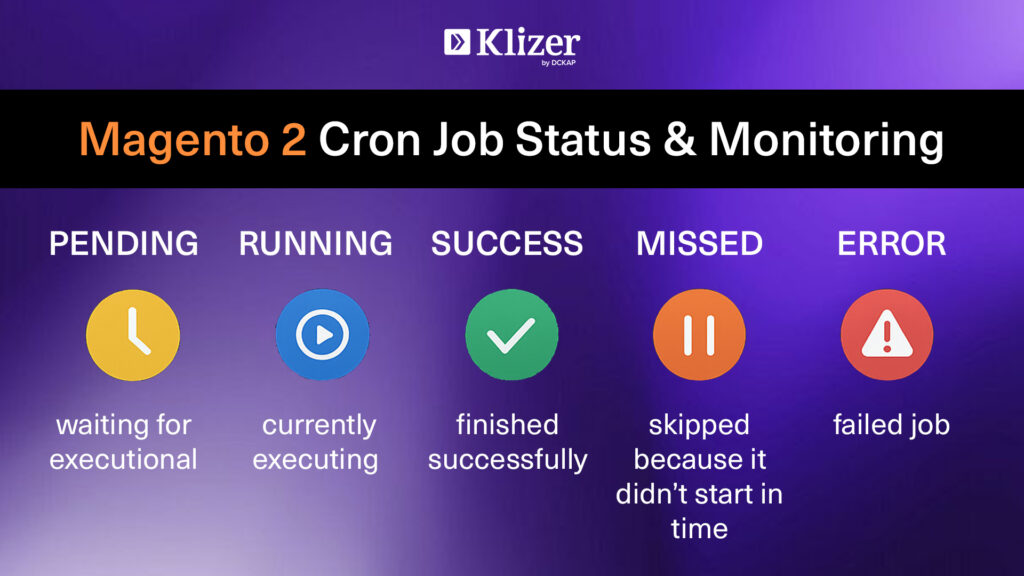
All cron activity is logged in the cron_schedule database table.
Each job has a status:
- pending → waiting for execution
- running → currently executing
- success → finished successfully
- missed → skipped because it didn’t start in time
- error → failed job
If you ever wonder “why didn’t my cron run?”, this is the place to check.
Final Thoughts
Having a proper cron job helps us to run jobs smoothly in the background. But without proper management can create more problems. So by organizing them into cron groups and setting the right schedules makes the store fast and reliable.
If you’re building custom modules or managing busy stores, take time to structure the cron groups—it makes a big difference in performance and stability.
Looking for Magento solutions? Work with a best enterprise ecommerce solutions partner like Klizer for expert Magento 2 services.