

Distributors encounter one of the hardest challenges when moving to the cloud: migrating their ERP without disrupting the business that depends on it. Inventory must remain accurate, orders cannot stall, warehouse operations need to stay connected, and critical integrations must continue working throughout the transition. When evaluating cloud migration services, a well-defined cloud migration strategy helps businesses manage these dependencies, reduce operational disruption, and build a more scalable technology environment.
Epicor Ascend helps simplify this ERP modernization journey by providing a structured approach to deploying or migrating to Epicor Cloud ERP.
ON THIS PAGE
What Is Epicor Ascend and How Does It Work?
Epicor Ascend is a structured, AI-powered implementation and migration program designed to help businesses deploy or migrate to Epicor Cloud ERP faster and with less manual effort.
AI-Powered Assessment and Planning
Ascend uses AI to assess the existing ERP environment, extract and organize relevant data, and help develop a tailored cloud migration strategy before implementation begins. This helps teams identify requirements, potential risks, and migration priorities early.
Automated Data Migration
Ascend uses AI and automated tools to extract, organize, map, and convert legacy ERP data for the target cloud environment. Data still requires validation and preparation, but automation can reduce repetitive migration tasks and improve consistency.
Expert Guidance and Training
Ascend combines implementation expertise with configuration and customization support to help businesses prepare their cloud ERP environment. Structured training and onboarding help users adapt to new workflows and support smoother adoption.

Ascend combines assessment, data work, and implementation support; business teams still validate the result.
What Does Epicor Ascend Add to an ERP Migration?
Epicor describes Ascend as a structured approach to ERP delivery. The program supports the following project activities; confirm the package and scope for your implementation.
| Parameter | Project Requirement | Epicor Ascend |
| Assessment & Planning | System discovery, requirements, and a migration plan | AI helps assess the existing environment, organize data, and develop the migration roadmap |
| Data Migration | Data extraction, mapping, cleaning, and conversion | AI and automation streamline data extraction, organization, mapping, and conversion |
| Implementation Method | An implementation approach matched to project requirements | Uses a structured and repeatable implementation methodology |
| Timeline | A timeline based on scope, complexity, and customization | Qualified implementations can target go-live in as little as 90 days |
| Pricing Approach | Defined scope, deliverables, and commercial terms | Ascend for Cloud Migrations offers a fixed-fee package; confirm inclusions and exclusions |
| Migration Scenarios | A supported route for the source ERP and business scenario | Supports defined scenarios, including moving Epicor on-premises ERP to the cloud, replacing a non-Epicor ERP, and integrating acquired businesses. |
What Should Cloud Migration Services Cover Before Go-Live?
Distributors should prepare their ERP data, integrations, customizations, infrastructure, and users before starting an Epicor cloud migration to reduce risks and avoid operational disruption. Confirm Ascend eligibility for your ERP product, version, migration scenario, and scope with Epicor. Here are the key areas distributors should review before the migration begins:
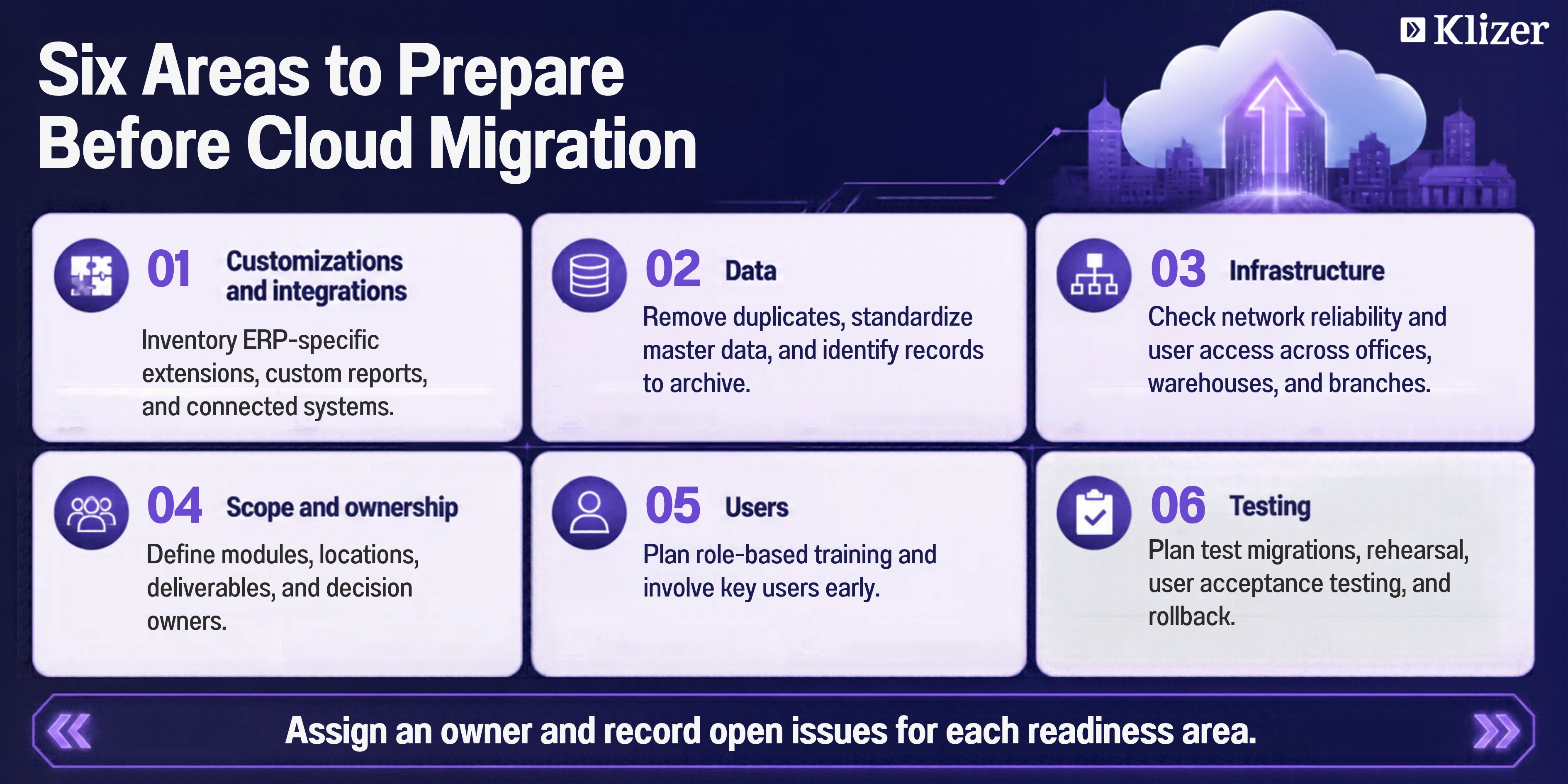
Use these six readiness areas to identify dependencies and assign owners before migration work begins.
1. Assess Customizations and Integrations
Start by reviewing how the existing Epicor environment has been modified and connected to other business systems. This assessment identifies the customizations, integrations, and dependencies that should be retained, redesigned, replaced, or retired. Here are the key areas to review:
Document customizations
Inventory custom scripts, modified reports, and product-specific extensions. For Epicor Kinetic, review BPM rules, data directives, BAQs, and classic UI changes. For Prophet 21, review DynaChange customizations and business rules.
Review integrations
Identify connections with ecommerce, EDI, WMS, CRM, shipping, and other third-party systems.
Check database dependencies
Identify integrations and reporting tools that rely on direct SQL access and determine whether they need supported APIs or modern integration methods.
Integration remains a significant challenge for distributors. Distribution Strategy Group’s 2026 research found that 55% of surveyed North American wholesale distributors had invested in ERP, CRM, ecommerce, and analytics without fully integrating these systems.
For example, a B2B distributor may need to keep customer, pricing, inventory, and order data synchronized across its commerce platform, EDI partners, WMS, and ERP after the migration.
2. Clean and Prepare Data
Data quality affects migration accuracy and validation effort, so clean the source environment before moving information to the cloud. Here is what your data preparation should cover:
Remove duplicate and obsolete records
Eliminate unnecessary information that does not support current operations.
Standardize master data
Review customer, vendor, item, pricing, address, and unit-of-measure records for consistency.
Prioritize active data
Focus on current item masters, active pricing, open orders, and other operational records.
Archive historical information
Secure older records that do not need to remain in the live cloud environment.
3. Check Infrastructure and Network Readiness
Cloud ERP changes how teams access the system, so distributors should verify connectivity and technical readiness across every location. Here are the main checks to complete:
Verify network reliability
Confirm stable internet connectivity across offices, warehouses, and branches.
Review user access
Check devices, browsers, and access requirements for employees using the cloud environment.
Assess operational dependencies
Identify warehouse and branch processes that could be affected by connectivity or system changes.
4. Define Scope and Ownership
A clear scope for ERP migration services prevents unnecessary migration work and gives each team a defined responsibility. Establish what the project includes and who will make decisions throughout the transition. Here are the areas to define:
Set migration scope
Identify the modules, locations, business units, data, integrations, and customizations included in the project.
Assign project owners
Involve leaders from IT, finance, warehouse operations, sales, and other affected teams.
Establish governance
Define responsibilities for validation, testing, approvals, issue resolution, and go-live decisions.
5. Prepare Users for the Change
Technical readiness alone does not guarantee successful adoption. Employees need to understand how the cloud environment will affect their workflows and responsibilities. Here is how to prepare users:
Identify affected teams
Determine which roles and departments will experience process or interface changes.
Plan role-based training
Provide training based on the tasks users perform.
Involve key users early
Include process owners and power users in testing and feedback sessions.
Prepare for process changes
Communicate important workflow and interface changes before go-live.
6. Plan and Test the Migration
Bring the assessment findings together into a detailed ERP migration plan that defines the migration sequence, testing approach, cutover process, and post-go-live support. Here are the steps to plan, validate, and execute the migration:
Run a test migration
Validate data conversion, reports, integrations, and critical workflows.
Perform a migration rehearsal
Confirm the migration window, identify remaining issues, and refine the cutover process.
Complete user acceptance testing
Let business teams confirm that essential processes work as expected, including ecommerce workflows affected by ERP changes.
Finalize the cutover
Define the data freeze, final migration, validation, production launch, and rollback procedures.
Plan post-go-live support
Monitor the new environment and address issues during stabilization.
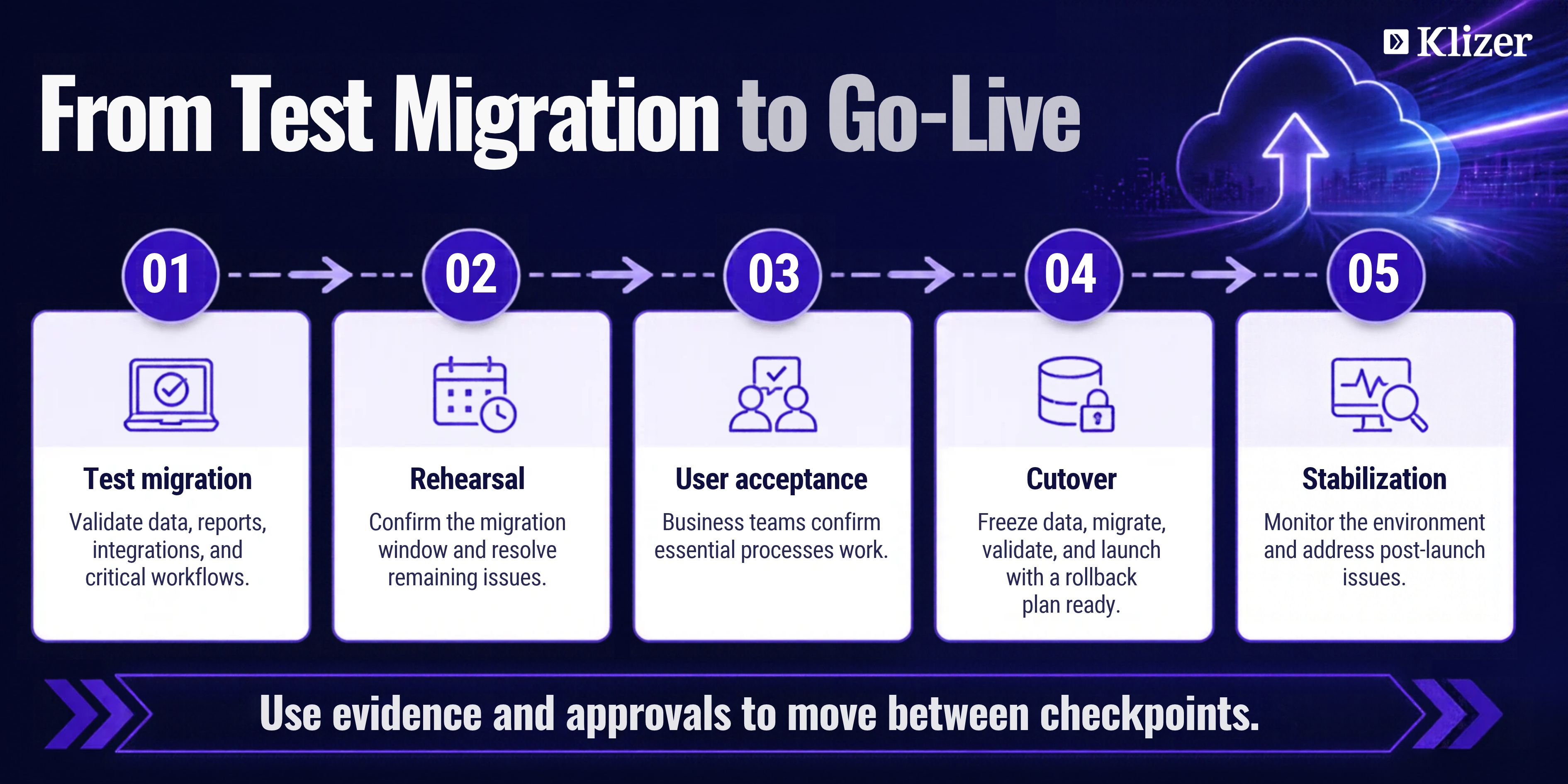
Use test results and business approval to guide cutover, then monitor the environment through stabilization.
How Long Does an Epicor Ascend Migration Take?
For qualified implementations, Epicor Ascend targets cloud ERP go-live in as little as 90 days. Epicor introduced this target as part of the expanded Ascend program in May 2026. Actual timelines vary based on data readiness, integrations, customizations, project scope, and other implementation requirements. The target is not a standard timeline for every migration.
Epicor also reports that early Ascend results have reduced implementation timelines by up to 40%, with some deployments completed in just weeks. These results represent specific implementations, so they should not be treated as a guaranteed timeline for every business.
Frequently Asked Questions
Is Epicor Ascend suitable for small and mid-sized distributors?
Yes, Epicor Ascend can suit small and mid-sized distributors when their ERP environment fits the program’s supported implementation scenarios.
Can Epicor Ascend support an ERP replacement project?
Yes, Epicor Ascend supports businesses replacing legacy or non-Epicor ERP systems with Epicor Cloud ERP.
Can businesses keep their existing integrations after moving to the cloud?
Yes, businesses can retain integrations that remain compatible with the cloud environment, while some legacy connections may require redesign or modernization.
Will moving to cloud ERP affect employees’ daily work?
Yes, employees may experience changes to system access, interfaces, workflows, and responsibilities, so targeted training can help them adapt.
What should distributors look for in an Epicor cloud migration partner?
Distributors should look for proven Epicor expertise, distribution-industry experience, integration capabilities, data migration expertise, and strong post-go-live support.
Plan Your Epicor Cloud Migration with Klizer
A successful Epicor Ascend migration depends on more than moving ERP data to the cloud. Distributors need to assess customizations, integrations, data, and workflows early to reduce disruption and keep the migration aligned with business needs.
Klizer specializes in Epicor Prophet 21 cloud migration for distributors, helping businesses assess their existing environment, preserve critical configurations and data, and address integrations across ecommerce, WMS, EDI, and CRM. Klizer brings 20+ years of experience helping distributors and manufacturers grow and focuses on complex distribution environments.
Treat the move as a Connected Commerce decision: the ERP Foundation must continue supporting the Storefront and Integration workflows buyers and operations depend on, with reliable data for Intelligence. Validate those connections before judging success by the go-live date alone.
Planning your cloud migration? Talk to Klizer about your Prophet 21 migration roadmap and the preparation your distribution business needs.