Prompt engineering optimizes the words we send to a model. It helps, but eventually it runs out of room to solve the bigger problem.
LLMs are not reliable calculators, and they can produce plausible but incorrect numbers. So instead of asking the model to do everything itself, we hand calculations and other deterministic tasks to tools. The model focuses on what it does better: understanding intent, choosing the right tool, and interpreting the result.
That works well until we have a lot of tools.
When a model has to route across dozens of tools, the prompt starts carrying everything it needs to make that decision: tool names, descriptions, parameters, routing rules, exceptions, and instructions about which tools to avoid.
The prompt gets longer. Important instructions get buried. Routing becomes harder.
The solution is context engineering.
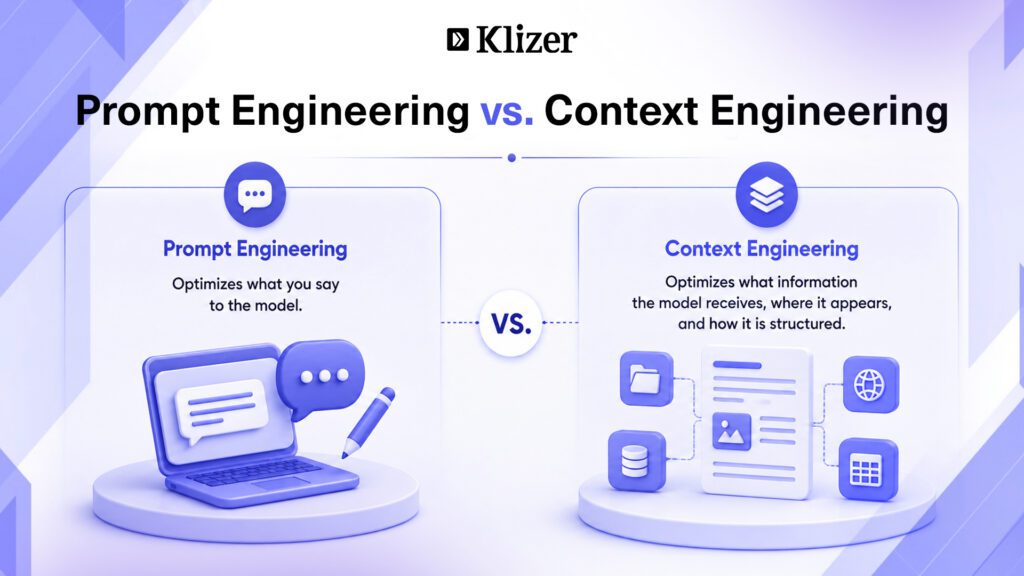
Instead of treating everything as plain text, we can provide context through structured channels, with different types of information placed in different parts of the request.
For example:
{
  "system": ["...instructions that never change..."],
  "toolConfig": {"tools": ["...schemas..."]},
  "messages": ["...the conversation..."],
  "inferenceConfig": {
    "temperature": 0,
    "maxTokens": 2048
  }
}
Everything eventually becomes a sequence of tokens. But how we structure the request determines where information appears, how it is delimited, whether it can be cached, and how the model interprets it.
The examples in this post use Amazon Bedrock’s Converse API, which is the API we work with. Other providers follow similar concepts, but their field names, block types, validation rules, and caching behavior differ. The ideas transfer, but the exact JSON does not.
ON THIS PAGE
Context Is Structured, Not Just Text
Inside messages, each turn has a role and a content field. The important detail is that content is not simply a string. It is a list of typed blocks.
{
  "role": "user",
  "content": [
    {
      "text": "Which SKUs are at risk?"
    }
  ]
}
Text is one block type. An assistant turn can contain a tool-use block. A user turn can contain a tool-result block.
Each block type has rules about what it can contain and where it can appear. Breaking those rules can cause the API to reject the request before the model sees it.
Suppose the model has just returned a tool result:
{
  "role": "user",
  "content": [
    {
      "toolResult": {
        "toolUseId": "t1",
        "content": [
          {
            "text": "40 SKUs, 6 below reorder point"
          }
        ]
      }
    }
  ]
}
If we want to add the instruction “Answer using only the data provided,” we cannot necessarily append a bare text block beside the tool result. In Bedrock, the additional text can instead be placed inside the tool result’s content:
{
  "role": "user",
  "content": [
    {
      "toolResult": {
        "toolUseId": "t1",
        "content": [
          {
            "text": "40 SKUs, 6 below reorder point"
          },
          {
            "text": "Answer using only the data provided."
          }
        ]
      }
    }
  ]
}
The words are the same. Their location is different.
Where a fact goes is not just a stylistic decision. It is part of how the model receives context.
Tool Schemas Are a Context Channel Too
Messages are not the only place where context lives. Tool definitions are another important channel.
A tool definition normally includes a name, description, and parameters. The model uses these when deciding which tool to call.
That makes a tool description more than documentation.
Tool Descriptions Should Explain Routing
Consider:
{
  "name": "get_stockout_risk",
  "description": "Returns items at risk of running out."
}
This explains what the tool does, but not when the model should use it.
A better description explains both the intended use and the common wrong turn:
{
  "name": "get_stockout_risk",
  "description": "Returns items forecast to run out within a given number of days, ranked by revenue at risk. Use this for questions such as 'what will run out' and 'what is at risk'. Do not use get_low_stock for these questions because that tool reports items below a fixed threshold and does not account for sales velocity."
}
This matters because models often fail by choosing a tool that looks close enough, rather than refusing to answer.
The principle is simple: A tool description should explain the decision boundary, not just the tool’s function.
Parameters Need Descriptions Too
A parameter with only a name and type can force the model to guess what values mean.
"parameters": {
  "risk_level": {
    "enum": ["CRITICAL", "HIGH", "MEDIUM", "LOW"],
    "description": "Minimum risk level to include. Omit to include all levels."
  },
  "max_days_of_stock": {
    "description": "Return items with fewer than this many days of stock left. Use for 'running out within 30 days'."
  }
}
Explicit enums remove a class of errors because the model does not have to invent valid values.
Likewise, clear parameter descriptions remove ambiguity about direction and intent.
If the model repeatedly gets a decision wrong, make that distinction explicit in the structure it receives.
Four Ways Data Reaches the Model
Tool definitions tell the model what it needs to know about the tools.
Everything else, including retrieved records, tool results, previous interactions, and examples, generally travels through messages.
These approaches are not interchangeable.
1. Append Data to the User Message
For example:
{
  "role": "user",

  "content": [
    {
      "text": "<records>

SKU-1024  qty 40  sold_30d 210

SKU-2291  qty 6   sold_30d 180

</records>

Which SKUs are at risk?"
    }
  ]
}
This is simple and keeps the data close to the question.
The downside is that the records arrive as part of a user message. Their source and authority are less explicit than they would be in a structured tool result.
When using this approach, clearly label retrieved data and separate it from instructions.
2. Return It as a Tool Result
The model can request the data, your application executes the tool, and the result is returned through a tool-result block:
{
  "role": "user",
  "content": [
    {
      "toolResult": {
        "toolUseId": "abc123",
        "content": [
          {
            "text": "qty: 40"
          }
        ]
      }
    }
  ]
}
Now the model receives the information as the output of a tool interaction rather than as ordinary conversational text.
This is useful when your application needs to distinguish retrieved system data from user-provided information.
3. Pre-Seed Tool Results
Normally, the model asks for data, the application runs the tool, and the result is returned.
But if the application already knows what data is required, it can retrieve that information before asking the model to reason over it.
The history can be constructed with a tool-use turn followed by the corresponding result:
[
  {
    "role": "user",
    "content": [
      {
        "text": "How's inventory for Brand X?"
      }
    ]
  },
  {
    "role": "assistant",
    "content": [
      {
        "toolUse": {
          "toolUseId": "t1",
          "name": "get_inventory",
          "input": {
            "brand": "X"
          }
        }
      }
    ]
  },
  {
    "role": "user",
    "content": [
      {
        "toolResult": {
          "toolUseId": "t1",
          "content": [
            {
              "text": "40 SKUs, 6 below reorder point"
            }
          ]
        }
      }
    ]
  }
]
The model did not actually make the tool call. The application constructed the history.
This can reduce unnecessary model calls when the required context is already known. It can also help restore useful state between sessions without converting every previous tool interaction into a prose summary.
4. Use Few-Shot Examples
Another way to shape behavior is to show the model what the desired interaction looks like.
Instead of saying:
Always call a tool before answering inventory questions.
we can provide an example:
[
  {
    "role": "user",
    "content": [
      {
        "text": "How many units of SKU-1024 do we have?"
      }
    ]
  },
  {
    "role": "assistant",
    "content": [
      {
        "toolUse": {
          "toolUseId": "ex1",
          "name": "get_inventory",
          "input": {
            "sku": "SKU-1024"
          }
        }
      }
    ]
  },
  {
    "role": "user",
    "content": [
      {
        "toolResult": {
          "toolUseId": "ex1",
          "content": [
            {
              "text": "qty: 40"
            }
          ]
        }
      }
    ]
  },
  {
    "role": "assistant",
    "content": [
      {
        "text": "You have 40 units of SKU-1024 in stock."
      }
    ]
  }
]
The example demonstrates both the behavior and the structure we want the model to follow.
Few-shot examples do have a cost. They consume tokens on every request, so two or three strong examples are usually better than filling the context with many variations.
Ordering Is a Cost Decision
Context placement also affects cost and latency.
Many providers can cache a stable prefix of a request. If the beginning of the next request is identical to the previous request, the provider may be able to reuse previously computed work.
A practical ordering is:
1. Stable system instructions
2. Stable tool definitions
3. Stable examples
4. Conversation history
5. Current dynamic context
6. Current user request
The exact caching mechanism differs by provider. Some cache prefixes automatically, while others expose explicit cache controls.
The underlying principle is the same:
Keep stable context stable.
Putting frequently changing information, such as timestamps, at the beginning of an otherwise stable prompt can reduce cache reuse.
Likewise, rewriting earlier conversation turns can invalidate the stable prefix. When possible, append new turns instead of modifying existing ones.
Where Does the Model’s Attention Land?
Long-context models do not necessarily treat every token with equal importance.
Information can become harder to use when it is buried inside a large amount of unrelated context. A practical approach is to keep stable instructions organized at the beginning and place the current question and most relevant context close to the point where the model needs to use them.
The exact behavior varies by model, so this should not be treated as a universal rule.
The practical takeaway is simple:
Do not make the model search a giant context window for the information needed to answer the current question.
Structure matters too.
Consistent headers, JSON structures, XML-style tags, and source labels can help separate different types of information:
<document source="product_catalog">
...
</document>

<document source="customer_account">
...
</document>
This becomes particularly important when retrieved content is untrusted. A document from a website, PDF, or knowledge base may contain text that looks like an instruction.
Clear boundaries help distinguish data to analyze from instructions to follow.
Context Engineering Is About Placement
Every fact we want the model to use has to go somewhere.
And those locations are not interchangeable.
- Stable instructions belong in the system context.
- Tool-specific knowledge belongs in the tool definition.
- Tool outputs and retrieved operational data should use structured result blocks when the API supports them.
- Examples can be represented as structured message history.
- Dynamic request-specific information belongs in the changing part of the request.
- Untrusted external content should be clearly separated and labeled as data.
The important decisions are not primarily about making prompts sound better.
They are about understanding the structure of the request, the API rules, the caching model, and how the model uses the context it receives.
That is why context engineering matters.
The hard part was never simply writing a better prompt.
It was deciding where each piece of information should sit before the model ever sees it.
For ecommerce businesses, this becomes increasingly important as AI systems move from simple chat interfaces to systems that can search catalogs, retrieve customer-specific pricing, check inventory, recommend products, and take actions across connected business systems.
Conclusion
AI becomes more useful not simply because we write better prompts, but because we give the model the right context at the right time.
Want to build AI-powered ecommerce workflows that work with your actual business data? Explore Klizer’s AI Solutions for ecommerce and see how AI can connect with inventory, product data, customer interactions, and commerce operations.